AI cinch bag mockup generator
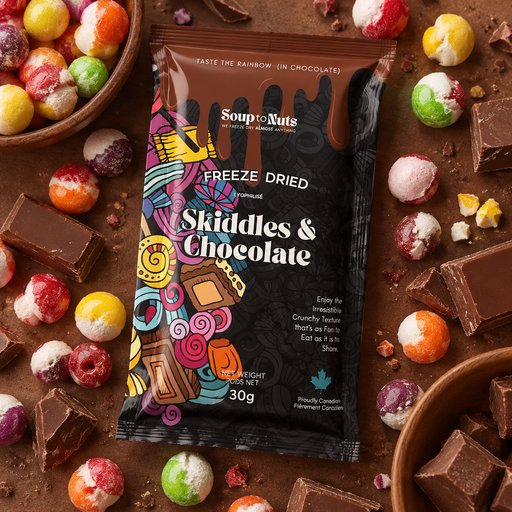
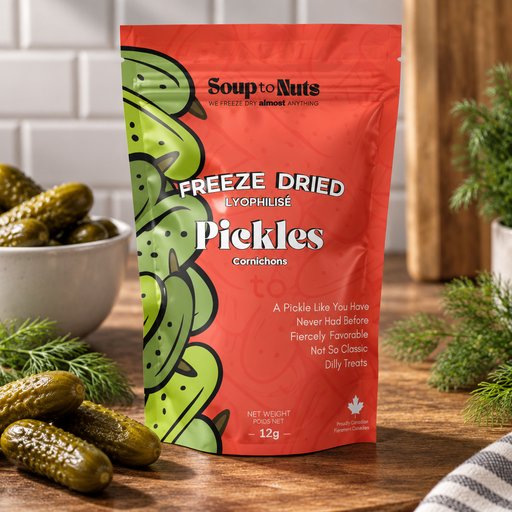
Cinch Bag mockups, generated — not templated
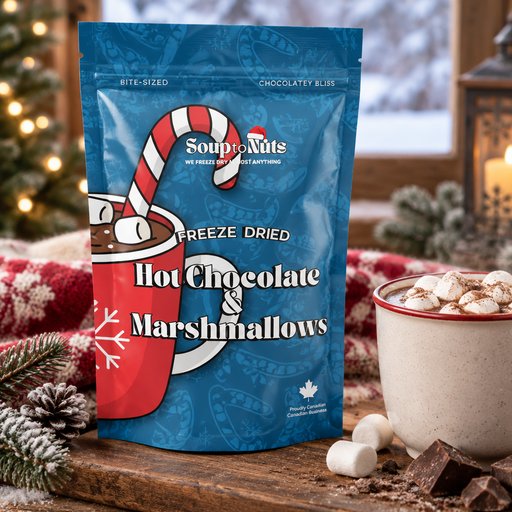
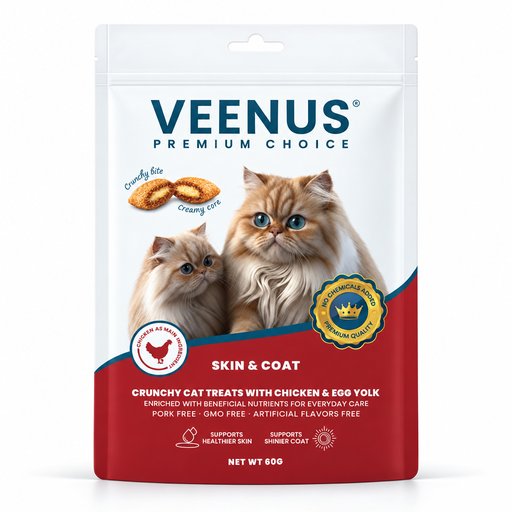
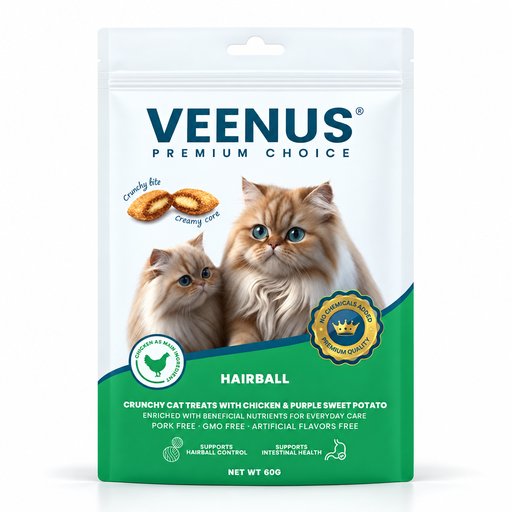
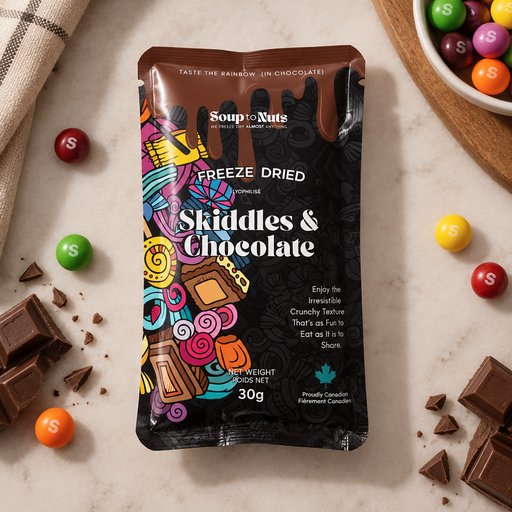
Camps, gyms, and merch sellers use a cinch bag mockup as the go-to blank for quick, affordable branded giveaways. It lets a designer preview how a logo bunches once the drawstring pulls tight.
- Photorealistic lighting, shadows and materials
- Upload your own design, logo or artwork
- Any scene you can describe — no template hunting
- Edit, restage, upscale and animate afterwards
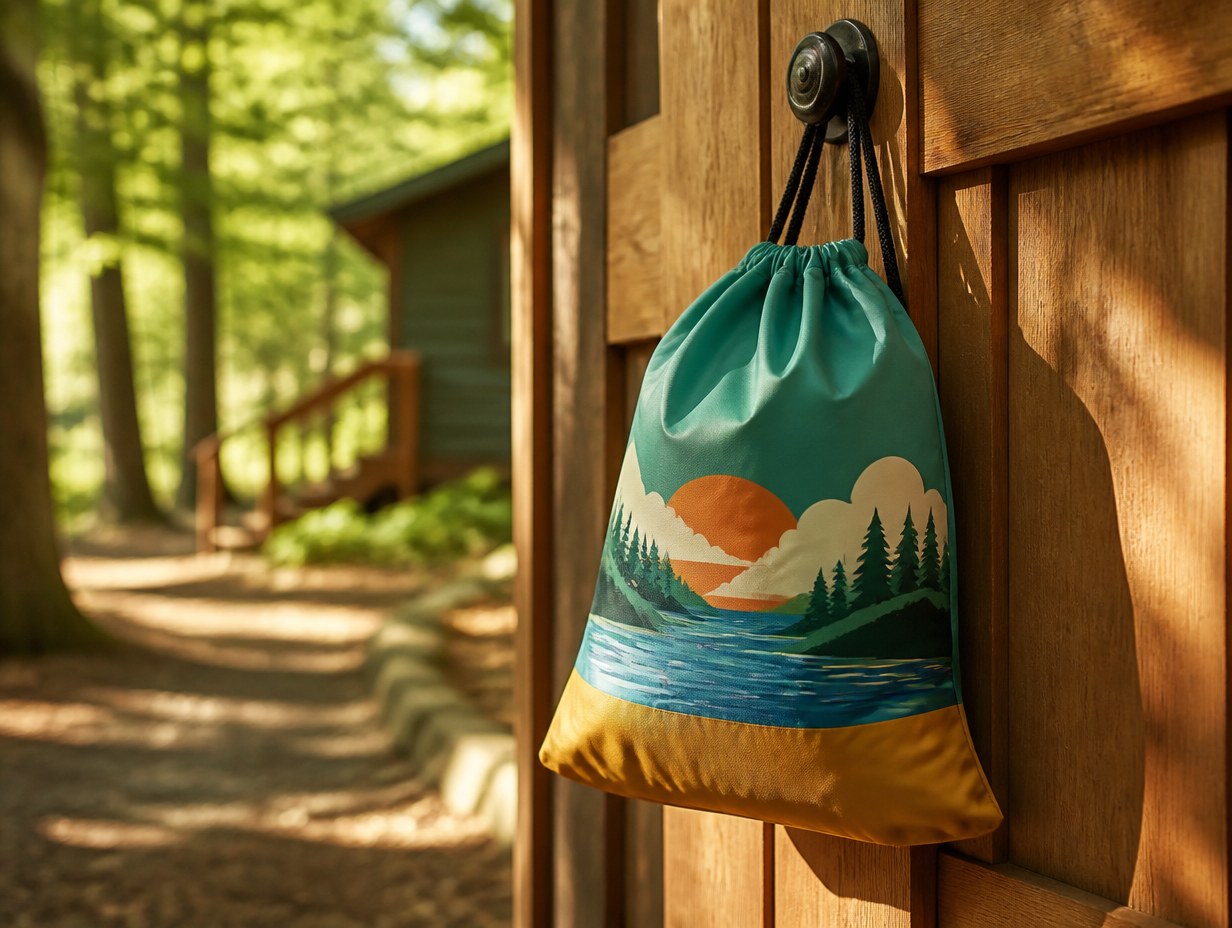
Generated with Mockup Generator — “A bright nylon cinch bag hanging from a summer camp cabin door, featuring a tast…”
Prompt ideas to start from
Fresh from the community

![# Productontwerp — 38L All-Round Modular Sport Duffel / Backpack
**Werkdocument / Product Design Specification**
**Versie:** 1.0
**Producttype:** Premium sporttas / duffel met verticale backpackmodus
**Doelvolume:** 38 liter
**Primaire gebruikssituaties:** fitness, zwemmen, teamsport, padel/tennis, woon-werk + sport
**Ontwerprichting:** premium sportief, clean, georganiseerd, modulair
---
## 1. Productvisie
Deze sporttas is ontworpen rond één centraal probleem: **klassieke sporttassen veranderen snel in één grote, rommelige ruimte waarin droge kleding, nat textiel, schoenen, verzorgingsproducten, drinkflessen en waardevolle spullen door elkaar terechtkomen.**
Het product lost dit op met een intelligent zonesysteem zonder de tas op te delen in een groot aantal kleine, rigide compartimenten.
De kernbelofte is:
> **Eén compacte all-round sporttas waarin droog, nat, vuil, drinken, verzorging en waardevolle spullen logisch van elkaar gescheiden blijven.**
De tas combineert het herkenbare, eenvoudige silhouet van een moderne sportduffel met een veel geavanceerdere interne architectuur en drie volwaardige draagwijzen:
1. **Duffel / hand carry**
2. **Shoulder carry**
3. **Verticale backpackmodus**
De tas heeft een doelvolume van **38 L**. Dit is bewust iets ruimer dan 35 L om comfortabel plaats te bieden aan onder meer EU48-schoenen, droge kleding, een grote katoenen handdoek en een uitneembare natmodule.
---
## 2. Ontwerpprincipes
Het ontwerp wordt gestuurd door zeven principes.
### 2.1 Organized, not overcomplicated
De tas krijgt niet zoveel mogelijk vakken. Elk vak moet een duidelijk doel hebben.
De gebruiker moet intuïtief begrijpen waar iets hoort:
- **DRY** — droge kleding
- **WET** — nat textiel
- **SHOES** — schoenen
- **HYDRATE** — drinkfles
- **TOILETRY** — douche- en verzorgingsproducten
- **QUICK** — spullen die tijdens het sporten snel nodig zijn
- **SECURE** — smartphone, sleutels en andere waardevolle spullen
### 2.2 Flexible volume
Het natvak en schoenenvak zijn flexibel. Wanneer ze niet worden gebruikt, nemen ze nauwelijks bruikbaar hoofdvolume in.
De 38 L wordt dus dynamisch verdeeld afhankelijk van de sportactiviteit.
### 2.3 Clean versus dirty separation
Droge kleding mag niet in contact komen met:
- natte zwemkleding;
- een vochtige handdoek;
- vuile schoenen;
- lekkende shampoo;
- een lekkende drinkfles.
### 2.4 True dual-mode design
De backpackfunctie wordt niet als extra feature achteraf toegevoegd.
De tas moet zowel horizontaal als duffel als verticaal als rugzak logisch functioneren.
### 2.5 Easy cleaning
Zones die in contact komen met vocht, schoenen of verzorgingsproducten moeten eenvoudig afwasbaar zijn.
### 2.6 Premium restraint
De buitenkant blijft visueel rustig.
Geen overvloed aan zichtbare mesh, externe elastieken, losse banden of grote contrasterende logo’s.
### 2.7 Floor protection
De tas moet bruikbaar zijn in natte kleedkamers zonder dat het textiel rechtstreeks op de vloer rust.
---
# 3. Positionering
## 3.1 Productcategorie
Premium georganiseerde sportduffel / gym bag / swim bag / convertible backpack.
## 3.2 Hoofdgebruiker
Een actieve gebruiker die verschillende sporten combineert en één hoogwaardige tas wil gebruiken voor onder andere:
- fitness;
- zwemmen;
- padel of tennis;
- voetbal of andere teamsporten;
- sport na het werk;
- korte wellness- of saunabezoeken;
- lichte weekend- of overnight use.
## 3.3 Belangrijkste onderscheid
Niet:
> “Een sporttas met veel vakken.”
Wel:
> **Een adaptief organisatiesysteem dat clean, wet, shoes, hydration, toiletries en valuables fysiek van elkaar scheidt zonder het hoofdvolume te versnipperen.**
---
# 4. Vorm en proporties
## 4.1 Algemene vorm
De tas krijgt een **licht gestructureerde rechthoekige duffelvorm**.
Kenmerken:
- afgeronde hoeken;
- relatief vlakke boven- en onderzijde;
- zachte maar vormvaste zijwanden;
- voldoende structuur om halfleeg niet volledig in te zakken;
- geen harde koffervorm;
- premium sportieve uitstraling.
De visuele inspiratie komt uit de eenvoud en draagbaarheid van moderne zwarte sportduffels, maar het product krijgt een duidelijk eigen architectuur en design language.
## 4.2 Doelvolume
**Nominaal volume: 38 L**
De definitieve volumemeting moet na CAD en prototype fysiek worden gevalideerd.
### Indicatieve externe enveloppe
Richtwaarde:
- **Lengte:** ca. 54–56 cm
- **Hoogte:** ca. 29–31 cm
- **Diepte:** ca. 23–25 cm
Dit zijn ontwerpdoelen, geen definitieve productieafmetingen.
De maatvoering moet vooral worden gevalideerd tegen:
- EU48 sportschoenen;
- grote katoenen badhanddoek;
- volledige gymoutfit;
- 1 L drinkfles;
- toiletry kit;
- comfortabele verticale rugligging.
---
# 5. Hoofdopening
## 5.1 Grote U-opening
Het hoofdvak krijgt geen klassieke smalle rechte ritssluiting.
De voorkeur is een **grote U-vormige ritssluiting** over de bovenzijde en gedeeltelijk langs de zijkanten.
### Doel
Wanneer de gebruiker de tas opent:
- is vrijwel de volledige inhoud zichtbaar;
- kan kleding gestapeld worden in plaats van gepropt;
- zijn de verschillende zones makkelijk bereikbaar;
- hoeft de gebruiker niet diep in een donkere tas te zoeken.
De opening moet stevig genoeg zijn om zijn vorm te behouden en soepel genoeg om met één hand verder te openen.
## 5.2 Rits
Voorkeur:
- dubbele zipper sliders;
- robuuste premium coil zipper;
- grote tactiele zipper pulls;
- glove-friendly grip;
- bij voorkeur water-resistant zipper tape op kritische buitenvakken.
---
# 6. Interne architectuur
De tas bestaat uit één centraal **Dry hoofdvolume**, omringd door functionele zones.
Conceptueel:
```text
HORIZONTALE DUFFELMODUS
┌──────────────────────────────────────────┐
│ QUICK / TOILETRY / EXTERNAL ACCESS │
├──────────────────────────────────────────┤
│ │
│ DRY MAIN ZONE │
│ │
│ [removable WET module] │
│ │
├───────────────┬──────────────────────────┤
│ SHOE TUNNEL │ flexible expansion │
└───────────────┴──────────────────────────┘
```
En in verticale backpackmodus:
```text
VERTICALE BACKPACKMODUS
┌─────────────────────────┐
│ QUICK ACCESS │
├─────────────────────────┤
│ TOILETRY / DRY │
│ │
BACK → │ DRY MAIN ZONE │
│ + removable WET module │
│ │
├─────────────────────────┤
│ SHOE ZONE │
└─────────────────────────┘
↓
verticale bodem
```
---
# 7. DRY Zone — centraal hoofdvak
## 7.1 Functie
Het grootste compartiment is voor alles wat schoon en droog moet blijven.
Voorbeelden:
- T-shirt;
- sportbroek;
- hoodie;
- sokken;
- ondergoed;
- droge handdoek;
- extra kleding;
- kleine sportaccessoires.
## 7.2 Volume
De Dry Zone gebruikt het resterende centrale volume.
Bij maximale bezetting van Wet en Shoes zal het bruikbare Dry-volume kleiner zijn. Wanneer één of beide modules leeg zijn, groeit het hoofdvak automatisch.
Doelwaarde bij normaal volledig gebruik:
**ca. 20–24 L bruikbaar centraal volume**
## 7.3 Binnenvoering
Voorkeur voor een **middellichte grijze of stone-grey voering**.
Reden:
- zwarte spullen zijn beter zichtbaar;
- vuil blijft minder zichtbaar dan op wit;
- premium contrast zonder een fel gekleurde binnenkant.
## 7.4 Interne organisatie
Bewust beperkt:
- één plat meshvak voor ondergoed/sokken;
- één klein plat organizer-vak;
- optioneel één verstelbare compressieriem.
Geen groot raster van kleine vakjes.
---
# 8. WET Zone — uitneembare natmodule
## 8.1 Doel
Volledig gescheiden opslag voor:
- natte zwemkleding;
- grote natte katoenen badhanddoek;
- vochtige sportkleding;
- eventueel natte slippers wanneer gewenst.
## 8.2 Capaciteit
Maximale expansie:
**ca. 9–10 L**
De pouch moet groot genoeg zijn voor een **grote katoenen badhanddoek + zwemkleding**.
## 8.3 Flexibele constructie
De Wet Zone is geen vast hard compartiment.
Wanneer leeg:
- ligt de module grotendeels plat;
- blijft het centrale volume beschikbaar.
Wanneer gevuld:
- expandeert de module naar het hoofdvolume;
- blijft de natte inhoud fysiek geïsoleerd.
## 8.4 Uitneembaar
De module moet volledig uit de tas kunnen worden gehaald.
Voorkeursbevestiging:
- 4 lage snap-/hook-points;
- of een combinatie van 2 onderste locator tabs + 2 bovenste snaps.
Geen volledige perimeter-rits als dat het verwijderen vertraagt.
Doel:
**module verwijderen in enkele seconden.**
## 8.5 Constructie Wet Pouch
Gewenste eigenschappen:
- waterproof of zeer sterk water-resistant binnenmateriaal;
- gelaste of getapete naden waar praktisch;
- brede opening;
- gladde afwasbare binnenzijde;
- zo min mogelijk vuilvangende naden;
- ophanglus;
- open te leggen of binnenstebuiten te keren voor reiniging;
- zelfstandig te hanteren buiten de tas.
## 8.6 Sluiting
Voorkeur:
- brede dubbele rits met beschermde zipper garage;
of
- hybrid fold/roll closure indien dit aantoonbaar beter presteert op lekkage.
De pouch moet water binnenhouden tijdens normaal transport, maar is niet bedoeld als gecertificeerde drybag voor volledige onderdompeling.
## 8.7 Ventilatie
De Wet Pouch moet na gebruik volledig verwijderd en geopend kunnen worden om te drogen.
De tas mag niet afhankelijk zijn van passieve ventilatie terwijl nat textiel urenlang opgesloten zit.
---
# 9. SHOE Zone — EU48 schoenentunnel
## 9.1 Doel
Apart compartiment voor sportschoenen zodat vuil, stof en geur niet in het Dry-hoofdvak terechtkomen.
## 9.2 Schoenmaat
Ontwerpen voor minimaal:
**EU maat 48**
De maatvalidatie moet gebeuren met meerdere schoentypen:
- lage gymschoen;
- volumineuze running shoe;
- indoor court shoe;
- eventueel voetbal-/trainingsschoen zonder extreem lange studs.
## 9.3 Constructie
De Shoe Zone start aan één korte zijde van de duffel en vormt een flexibele tunnel die naar het hoofdvolume expandeert.
Leeg:
- vrijwel vlak.
Gevuld:
- schoenen nemen alleen het volume in dat werkelijk nodig is.
## 9.4 Voering
- donker;
- slijtvast;
- makkelijk afwasbaar;
- vochtbestendig.
## 9.5 Ventilatie
Geen groot zichtbaar meshpaneel.
Voorkeur voor:
- subtiele laser-cut perforaties;
- verborgen ventilatiegaten achter een structureel paneel;
- een perforatiepatroon dat deel uitmaakt van de visuele identiteit.
De ventilatie moet worden beschermd tegen directe waterinloop vanaf de bodem.
---
# 10. TOILETRY Zone — apart en direct bereikbaar
## 10.1 Doel
Een zelfstandig compartiment voor douche- en verzorgingsproducten.
Voorbeelden:
- shampoo;
- douchegel;
- deodorant;
- gezichtsverzorging;
- kam;
- kleine tube crème;
- scheeraccessoires.
## 10.2 Locatie
Aan de buitenzijde van de bovenste helft van de tas in backpackmodus.
Het vak moet bereikbaar zijn terwijl:
- de tas horizontaal op een bank staat;
- de tas verticaal naast een locker staat;
- het hoofdvak gesloten blijft.
## 10.3 Volume
Richtwaarde:
**ca. 2–3 L**
## 10.4 Interne indeling
Voorkeur:
- 2 elastische verticale bottle loops;
- 1 klein mesh-/stretchvak;
- 1 vlak waterproof mini-pocket;
- voldoende vrije ruimte voor deodorant of toiletry bottle.
## 10.5 Lekbescherming
Het compartiment moet een eigen afwasbare liner hebben.
Aanbevolen:
- gelamineerde voering;
- opstaande interne rand;
- zo weinig mogelijk doorstiksels naar het hoofdvak.
Doel: lekkende shampoo moet zo veel mogelijk beperkt blijven tot deze zone.
---
# 11. HYDRATE Zone — verzonken bottle chamber
## 11.1 Doel
Gescheiden opslag van drinkfles zodat condens of lekkage niet bij droge kleding komt.
## 11.2 Flescompatibiliteit
Ontwerpdoel:
- standaard gymflessen;
- bidons;
- grote 1 L sportfles.
## 11.3 Oriëntatieprobleem
De tas verandert 90° van oriëntatie tussen duffel- en backpackmodus.
Daarom mag de fles niet afhankelijk zijn van één vaste zwaartekrachtrichting.
## 11.4 Oplossing
Een **gesloten, verzonken bottle chamber** met:
- water-resistant liner;
- elastische interne retentie;
- volledige rits;
- beperkte expansie naar binnen;
- vlak profiel wanneer leeg.
Duffelmodus: fles ligt grotendeels horizontaal.
Backpackmodus: fles komt grotendeels verticaal te staan.
## 11.5 Visueel
Geen zichtbaar elastisch mesh-flesvak.
Wanneer gesloten moet het compartiment vrijwel verdwijnen in het silhouet.
---
# 12. SECURE Zone — verborgen anti-diefstalvak
## 12.1 Doel
Veilige opslag voor:
- smartphone;
- sleutels;
- portefeuille;
- oordopjes;
- locker card;
- pasjes.
## 12.2 Locatie
In het **rugpaneel**, aan de lichaamszijde van de tas.
Wanneer de tas als backpack wordt gedragen bevindt het vak zich tussen gebruiker en tasinhoud.
## 12.3 Toegang
De rits wordt visueel verborgen door:
- overlap;
- seam integration;
- of plaatsing onder een structurele webbinglijn.
Geen opvallende externe zipper pull.
## 12.4 Interne organisatie
Minimaal:
- zacht gevoerd smartphonevak;
- apart sleuteldeel;
- geïntegreerde key leash/clip;
- klein vlak vak voor portefeuille/pasjes.
Sleutels mogen niet tegen het smartphonescherm kunnen schuren.
## 12.5 Padding
Lichte foamlaag tegen impact.
Geen overdreven dikke constructie die de tas volumineus maakt.
---
# 13. QUICK Zone — directe sporttoegang
## 13.1 Doel
Spullen die tijdens een workout snel gepakt worden zonder het hoofdvak te openen.
Voorbeelden:
- AirPods/oordopjes;
- lifting straps;
- wrist wraps;
- locker card;
- sporthorloge;
- grip accessories;
- kleine magnesium pouch indien goed afgesloten.
## 13.2 Locatie
Bovenste zone van de tas, bereikbaar in zowel:
- horizontale duffelmodus;
- verticale backpackmodus.
## 13.3 Formaat
Compact en vlak.
Geen groot universeel dump pocket dat opnieuw rommelig wordt.
---
# 14. Draagmodi
## 14.1 Hand carry
Twee stevige carry handles.
Eigenschappen:
- brede webbing;
- comfortabele handgrip;
- gevoerde of gevormde handle wrap;
- minimale beweging;
- voldoende ruimte voor grotere handen.
## 14.2 Shoulder carry
Afneembare verstelbare schouderriem.
Eigenschappen:
- breed;
- gevoerd schouderpad;
- draaibare metalen of hoogwaardige polymer hooks;
- bevestigingspunten geïntegreerd in structurele naden.
## 14.3 Backpackmodus
De tas wordt **90° gedraaid en verticaal gedragen**.
### Strap-systeem
De backpack straps:
- blijven bovenaan permanent aan de tas bevestigd;
- worden onderaan met clips vastgezet;
- kunnen onderaan worden losgeklikt;
- verdwijnen daarna omhoog achter een verborgen rugpaneel met rits.
Dit voorkomt:
- losse straps;
- verliesbare onderdelen;
- visuele rommel in duffelmodus.
### Workflow
**Naar backpackmodus**
1. rugpaneel openen;
2. straps uittrekken;
3. onderclips links en rechts vastklikken;
4. lengte afstellen.
**Naar duffelmodus**
1. onderclips losmaken;
2. straps omhoog vouwen;
3. straps in rugcompartiment schuiven;
4. rits sluiten.
## 14.4 Rugpaneel
Licht gestructureerd en padded.
Gewenst:
- twee verticale foamzones;
- subtiele ventilatiekanalen;
- slijtvaste buitenstof;
- voldoende stijfheid om lading comfortabel tegen de rug te houden.
Geen dikke hiking-backpack constructie.
---
# 15. Controle van losse handgrepen in backpackmodus
Duffelhandgrepen mogen tijdens backpackgebruik niet los rondhangen.
Oplossingsrichtingen:
- magnetische keeper;
- verborgen snap keeper;
- elastische retainer;
- smalle handle garage.
Voorkeur: een simpele premium oplossing met minimale zichtbaarheid.
---
# 16. Bodem en vloerbescherming
## 16.1 Lange bodem — duffelstand
De horizontale bodem krijgt:
- waterbestendig/slijtvast bodempaneel;
- semi-rigide interne bodemplaat;
- vijf lage TPU/TPE voetjes.
Voorgestelde layout:
```text
●────────────────────●
●
●────────────────────●
```
Vier hoekpunten + één centrale steun.
## 16.2 Waarom vijf voetjes
De middelste voet voorkomt dat een zwaar beladen tas in het midden doorbuigt en alsnog de natte vloer raakt.
## 16.3 Verticale bodem — backpackstand
Wanneer de tas rechtop wordt gezet, vormt de korte zijde bij de Shoe Zone de tweede bodem.
Daarom krijgt deze zijde:
- 2 subtiele TPU-bumpers of korte rails;
- extra slijtvaste overlay;
- voldoende structuur om rechtop te kunnen staan of leunen.
## 16.4 Materiaal voetjes
Voorkeur:
**TPU/TPE/rubberachtig materiaal**
boven hard goedkoop kunststof.
Redenen:
- stiller;
- meer grip;
- minder broos;
- premium tactility;
- betere bescherming van vloer en tas.
---
# 17. Structurele opbouw
## 17.1 Semi-rigid, niet hard shell
De tas moet vorm houden maar flexibel blijven.
Mogelijke constructie:
- dun PE/HDPE bodeminzetstuk;
- EVA/PE foam in korte zijpanelen;
- lichte foamlaminatie in rugpaneel;
- piping of folded seam reinforcement rond de U-opening.
## 17.2 Bodemplaat
Bij voorkeur uitneembaar voor:
- reiniging;
- reparatie;
- makkelijker wassen;
- prototype tuning.
De plaat moet afgeronde hoeken hebben zodat ze de voering niet doorsnijdt.
---
# 18. Materiaalrichting
## 18.1 Buitenmateriaal
Premium technisch textiel, bijvoorbeeld:
- high-density recycled nylon;
- recycled polyester met stevige weave;
- matte PU/TPU backing;
- water-resistant finish.
Doel:
- mat, niet glanzend;
- slijtvast;
- vormvast;
- makkelijk afneembaar;
- premium handfeel.
## 18.2 Bodem
Steviger materiaal dan het hoofdtextiel.
Opties:
- TPU-coated textile;
- high-abrasion nylon;
- molded/laminated reinforced panel.
## 18.3 Webbing
Brede, dichte nylon/polyester webbing.
Ton-sur-ton.
Geen glanzend goedkoop bandmateriaal.
## 18.4 Hardware
Voorkeur:
- matte black hardware;
- hoogwaardige acetal clips waar gewicht belangrijk is;
- metaal alleen waar het functioneel en premium verantwoord is.
## 18.5 Binnenvoering
Dry:
- middellicht grijs.
Wet:
- glad waterproof donker materiaal.
Shoes:
- donker abrasion-resistant.
Toiletry:
- glad, afwasbaar, water-resistant.
Secure:
- zacht gevoerd.
---
# 19. Kleur- en CMF-richting
## 19.1 Launch color
**Graphite Black / Matte Black**
Combinatie van:
- mat zwart hoofdtextiel;
- subtiel donker graphite structurele panelen;
- zwarte webbing;
- zwarte ritsen;
- zwarte hardware;
- ton-sur-ton branding.
## 19.2 Binnenzijde
Geen volledig zwarte binnenkant.
Hoofdvoering bijvoorbeeld:
- stone grey;
- light graphite;
- warm grey.
Doel: betere zichtbaarheid van inhoud.
## 19.3 Accentkleur
Optioneel één zeer beperkte accentkleur voor functionele details:
- klein pull-tab detail;
- intern Wet label;
- key leash;
- module locator points.
Niet noodzakelijk voor versie 1.
---
# 20. Visuele identiteit
Het product mag niet afhankelijk zijn van groot logo-oppervlak.
De herkenbaarheid moet vooral komen uit de constructie.
## 20.1 Signature design element
Voorgesteld:
**een doorlopende structurele diagonale lijn/paneelovergang** die visueel de functionele zones verbindt.
Deze lijn kan:
- onderdeel zijn van de schoenventilatie;
- een verborgen pocketrits maskeren;
- webbing verankeren;
- over beide zijden doorlopen.
Zo wordt functie onderdeel van de merkidentiteit.
## 20.2 Branding
Voorkeur:
- klein logo;
- ton-sur-ton;
- emboss/deboss of rubber badge;
- geen gigantisch wit woordmerk.
Premium boven opvallend.
---
# 21. Functionele modus per sport
## 21.1 Gym
**SHOES**
- EU48 gymschoenen
**DRY**
- sportoutfit
- hoodie
- ondergoed
- handdoek
**HYDRATE**
- 1 L drinkfles
**QUICK**
- straps
- AirPods
- locker card
**TOILETRY**
- deodorant
- douchegel
- shampoo
**SECURE**
- smartphone
- portefeuille
- sleutels
Wet module kan thuisblijven of plat opgeborgen worden.
---
## 21.2 Zwemmen
**DRY**
- droge kleding
- ondergoed
**WET**
- grote katoenen handdoek
- natte zwemkleding
**SHOES**
- schoenen of slippers
**TOILETRY**
- shampoo
- douchegel
- verzorging
**HYDRATE**
- drinkfles
**SECURE**
- smartphone
- sleutels
- portefeuille
Na thuiskomst wordt de volledige Wet Module verwijderd en geopend om te drogen.
---
## 21.3 Gym + zwemmen
Dit is de belangrijkste stresstest van het product.
De tas moet tegelijk plaats bieden aan:
- EU48-schoenen;
- droge kleding;
- grote katoenen handdoek;
- natte zwemkleding;
- 1 L fles;
- toiletries;
- kleine sportaccessoires;
- telefoon, sleutels en portefeuille.
In deze configuratie mogen de flexibele Wet- en Shoe-zones het centrale volume verkleinen, maar de tas moet zonder extreem proppen kunnen sluiten.
---
# 22. Gebruikservaring
## 22.1 Aankomst in de gym
1. Tas verticaal afzetten.
2. Smartphone en waardevolle spullen in Secure Zone.
3. Schoenenvak openen zonder hoofdvak volledig leeg te halen.
4. Drinkfles uit Hydrate Zone nemen.
5. Quick Pocket gebruiken tijdens training.
## 22.2 Douchen
1. Toiletry Zone extern openen.
2. Doucheproducten pakken zonder Dry Zone te openen.
3. Natte spullen na afloop rechtstreeks naar Wet Module.
## 22.3 Thuiskomst
1. Wet Module verwijderen.
2. Natte kleding en handdoek eruit.
3. Module volledig openen/ophangen.
4. Shoe Zone open laten ventileren.
5. Dry hoofdvak blijft grotendeels proper.
---
# 23. Anti-rommelstrategie
Het product moet een evenwicht houden tussen organisatie en eenvoud.
Daarom:
### Wel
- 7 duidelijke functionele zones;
- grote Dry Zone;
- flexibele Wet en Shoe;
- dedicated toiletry;
- hidden secure;
- één Quick Access.
### Niet
- 15 kleine identieke ritsvakjes;
- onduidelijke dubbele pockets;
- veel mesh organizers;
- complexe interne ritsen;
- permanente harde schotten die volume verspillen.
---
# 24. Interne labels
Subtiele labels kunnen de eerste gebruikservaring verbeteren.
Bijvoorbeeld klein ton-sur-ton of heat-transfer:
- DRY
- WET
- SHOES
- SECURE
Toiletry en Bottle hoeven mogelijk niet gelabeld te worden als hun functie visueel evident is.
De labels moeten klein en premium blijven.
---
# 25. Rits- en hardwarelogica
## Hoofdopening
- dubbele slider;
- grootste puller;
- eenvoudig herkenbaar op tast.
## Wet Module
- eigen type puller;
- optioneel klein tactiel detail.
## Secure
- minimale verborgen pull.
## Shoe
- stevige enkel- of dubbelzijdige rits;
- goed bereikbaar wanneer tas horizontaal én verticaal staat.
## Toiletry
- externe water-resistant zipper.
## Bottle
- zipper die de volledige chamber veilig sluit.
---
# 26. Gewichtsdoel
Omdat de tas meerdere compartimenten, padding, straps en bodemversteviging bevat, bestaat risico op over-engineering.
Doel:
**zo licht mogelijk zonder premium structuur te verliezen.**
Voor prototypeontwikkeling moet een target weight worden vastgesteld.
Indicatieve richting:
**ca. 1,3–1,7 kg leeg**
De definitieve waarde hangt sterk af van materiaal, hardware en constructie.
---
# 27. Comfortdoelen backpackmodus
Omdat 38 L zwaar kan worden, moeten de straps echt bruikbaar zijn.
Vereisten:
- voldoende brede schouderbanden;
- medium EVA padding;
- afgeronde randen;
- lengte geschikt voor verschillende lichaamsmaten;
- load direction dicht tegen de rug;
- geen harde hardware tegen het lichaam;
- minimaal slingeren tijdens wandelen/fietsen.
Optioneel te onderzoeken in prototypes:
- subtiele sternum strap;
- verwijderbaar of volledig verborgen.
Voor een premium urban-sport uiterlijk is een borstband niet noodzakelijk in de eerste versie.
---
# 28. Belangrijkste unieke productfeatures
## 1. Adaptive 38L architecture
Shoe en Wet gebruiken alleen volume wanneer nodig.
## 2. Removable Wet Module
Grote katoenen handdoek en natte kleding kunnen volledig uit de tas worden verwijderd.
## 3. EU48 flexible shoe tunnel
Grote schoenen passen zonder permanent ruimteverlies.
## 4. Hidden Secure Back Pocket
Telefoon en sleutels zitten uit zicht tegen het lichaam.
## 5. Dedicated Toiletry Chamber
Direct bereikbaar en lekbestendig geïsoleerd.
## 6. Convertible Vertical Backpack
Straps blijven bovenaan bevestigd, onderaan losklikbaar en verdwijnen achter een ritsvak.
## 7. Dual-orientation floor protection
Bescherming in horizontale duffel- én verticale backpackstand.
## 8. Recessed Bottle Chamber
Geen goedkoop meshvak en geen lekkende fles bij droge kleding.
## 9. Large U-opening
De volledige hoofdinhoud is snel zichtbaar.
## 10. Premium low-noise exterior
De functionaliteit is hoog, de buitenkant blijft visueel rustig.
---
# 29. Productstory in één zin
> **Een 38L premium all-round sporttas die zich aanpast aan je activiteit en nat, droog, vuil, drinken, verzorging en waardevolle spullen logisch van elkaar gescheiden houdt.**
---
# 30. Mogelijke marketingtaal
## Korte positionering
**Train. Swim. Move. Stay organized.**
of Nederlandstalig:
**Van training tot zwembad. Alles heeft zijn plaats.**
## Functionele kernboodschap
**Geen grote rommelige hoofdruimte, maar één adaptief systeem.**
De flexibele compartimenten gebruiken alleen capaciteit wanneer je ze nodig hebt, zodat de tas compact blijft zonder functionaliteit op te offeren.
---
# 31. Prototypevereisten
Voor prototype 1 moeten minimaal de volgende punten fysiek getest worden.
## Capaciteit
- EU48 schoenen passen.
- Grote katoenen badhanddoek past in Wet Module.
- Volledige gym + swim load-out past tegelijk.
- 1 L fles past.
- Toiletryproducten blijven zelfstandig bereikbaar.
## Backpackmodus
- comfortabel bij 8–12 kg testbelasting;
- straps snel opbergen;
- geen hinder van duffelhandvatten;
- tas trekt niet overdreven van de rug weg;
- Shoe Zone blijft onderaan gepositioneerd.
## Wet performance
- natte handdoek lekt niet naar Dry Zone tijdens normaal transport;
- Wet Module in minder dan 10 seconden te verwijderen;
- binnenzijde makkelijk schoon te vegen;
- module eenvoudig op te hangen.
## Shoe performance
- ventilatie werkt zonder groot open mesh;
- schoenenvuil migreert niet naar Dry Zone;
- liner makkelijk reinigbaar.
## Floor test
- hoofdtextiel raakt de vloer niet wanneer correct geplaatst;
- centrale voet voorkomt doorzakken;
- verticale bumpers beschermen korte zijde.
## Toiletry leakage
- simulatie met kleine hoeveelheid shampoo/water;
- vloeistof blijft zo veel mogelijk in de eigen chamber.
---
# 32. Ontwerpvalidatie — kritieke tests
Voor productiefase zijn minstens deze tests aanbevolen:
1. **38 L volumetest**
2. **EU48 fit-test met meerdere schoenmodellen**
3. **Wet towel load-test**
4. **1 L bottle compatibility**
5. **10 kg carry test**
6. **strap fatigue / clip cycle test**
7. **zipper cycle test**
8. **drop test**
9. **abrasion test bodem**
10. **wet-floor test**
11. **seam leakage test Wet/Toiletry**
12. **odor/ventilation usability test Shoe Zone**
13. **vertical stability test**
14. **handle load test**
15. **backpack comfort test met verschillende lichaamslengtes**
---
# 33. Productie- en engineeringaandachtspunten
## 33.1 Niet over-engineeren
Elke extra voering, foamlaag, rits en clip verhoogt:
- gewicht;
- kost;
- assemblagetijd;
- faalpunten.
Functies moeten daarom waar mogelijk constructief gecombineerd worden.
Voorbeeld:
Een structureel zijpaneel kan tegelijkertijd:
- ventilatie dragen;
- schoenenvak verstevigen;
- visuele designlijn vormen;
- hardware verankeren.
## 33.2 Reparatie
Waar mogelijk:
- vervangbare shoulder strap;
- vervangbare Wet Module;
- uitneembare bodemplaat;
- standaardiseerbare clips.
## 33.3 Naden
Kritieke natte zones zo min mogelijk doorstikken naar Dry-compartimenten.
## 33.4 Hardwarepositionering
Geen harde clips waar ze:
- tegen de rug drukken;
- de vloer raken;
- andere kleding beschadigen.
---
# 34. Duurzaamheidsrichting
Zonder duurzaamheid als marketingclaim te forceren, kan het product technisch worden ontworpen voor langere levensduur.
Mogelijkheden:
- gerecycled high-density buitenmateriaal;
- vervangbare Wet Module;
- vervangbare draagriem;
- hoogwaardige ritsen;
- bodempaneel met hoge slijtvastheid;
- minimale decoratieve componenten;
- eenvoudig reinigbare materialen.
Een duurzaam product begint hier vooral bij **lang gebruik en vervangbare slijtdelen**.
---
# 35. Niet opnemen in versie 1 tenzij prototype dit vereist
Om het product gefocust te houden:
- geen ingebouwde USB-poort;
- geen powerbank;
- geen elektronica;
- geen externe schoenveters/elastiek;
- geen groot zichtbaar mesh;
- geen harde telescopische constructie;
- geen 15-vaks organizer;
- geen complex MOLLE-systeem;
- geen permanente harde interne schotten.
---
# 36. Mogelijke toekomstige varianten
Na validatie van de 38 L basisarchitectuur kunnen latere varianten ontstaan:
### Compact
30–32 L dagelijkse gymversie.
### Core
38 L all-round hoofdmodel.
### Team / Travel
45–50 L voor grotere sportuitrusting.
### Wet Kit
Extra losse Wet Module als accessoire.
### Tech Organizer
Losse organizer die in de Quick/Dry Zone kan klikken.
De eerste versie moet echter zelfstandig compleet zijn zonder optionele accessoires.
---
# 37. Definitieve ontwerpbeslissingen versie 1.0
| Onderdeel | Beslissing |
|---|---|
| Producttype | All-round sportduffel |
| Volume | 38 L |
| Vorm | Licht gestructureerd rechthoekig |
| Hoofdopening | Grote U-opening |
| Duffel carry | Ja |
| Shoulder strap | Ja, afneembaar |
| Backpack | Ja |
| Backpackoriëntatie | Verticaal |
| Strap storage | Boven bevestigd, onder losklikbaar, verborgen achter rugrits |
| Shoe Zone | Flexibel, EU48 |
| Wet Zone | Uitneembaar |
| Wet capaciteit | Grote katoenen handdoek + zwemkleding |
| Toiletry | Eigen extern bereikbaar vak |
| Drinkfles | Verzonken gesloten chamber, ±1 L |
| Hidden pocket | Ja, tegen rugzijde |
| Quick Access | Ja |
| Bodemvoetjes | Ja, 5 TPU/TPE |
| Verticale bumpers | Ja |
| Exterior style | Premium sportief |
| Branding | Subtiel / ton-sur-ton |
| Hoofdkleur | Matte black / graphite |
| Binnenvoering | Lichter grijs |
| Rigide verdelers | Nee |
| Flexibele volume-expansie | Ja |
---
# 38. Samenvatting van het product
Het uiteindelijke concept is een **38 liter premium all-round sporttas** die visueel clean blijft, maar intern veel slimmer georganiseerd is dan een traditionele duffel.
De gebruiker krijgt een groot centraal Dry-compartiment met brede U-opening. Vanaf de buitenzijde zijn schoenen, toiletryproducten, drinkfles, quick-access items en waardevolle spullen afzonderlijk bereikbaar. Een uitneembare Wet Module houdt een grote natte badhanddoek en zwemkleding fysiek gescheiden van het droge hoofdvak.
Het schoenenvak is geschikt voor **EU48** en expandeert alleen wanneer het wordt gebruikt. Hetzelfde adaptieve principe geldt voor de Wet Module. Hierdoor blijft de volledige 38 L flexibel inzetbaar.
De tas kan met de hand, over de schouder of verticaal als backpack worden gedragen. De backpack straps blijven bovenaan bevestigd, klikken onderaan los en verdwijnen achter een discreet ritsvak in het rugpaneel.
Een verstevigde waterbestendige bodem met vijf lage TPU/TPE-voetjes houdt de tas van natte kleedkamervloeren. Extra bumpers beschermen de tas wanneer ze verticaal wordt neergezet.
Het resultaat moet niet aanvoelen als een sporttas met zo veel mogelijk features, maar als een **doordacht productsysteem waarbij iedere zone een duidelijk probleem oplost**.
---
## Kernconcept
**DRY — WET — SHOES — HYDRATE — TOILETRY — QUICK — SECURE**
**38 L. Eén tas. Geen chaos.**](https://media.mockupgenerator.com/911e7ccf-7739-4f89-b8c0-9471efdbe374-thumbnail.jpg)


Frequently asked questions
How does the AI cinch bag mockup generator work?
Describe the scene you want — or upload your design, logo or artwork — and the AI renders a photorealistic cinch bag mockup in seconds, with natural lighting, shadows and perspective. No Photoshop templates or smart objects needed.
Can I put my own design on the cinch bag?
Yes — upload up to four reference images (logos, artwork, screenshots or product shots) and the AI integrates them onto the cinch bag with realistic warping, lighting and materials.
Who owns the mockups?
You do — mockups you generate are yours. See our Terms of Service for full details. Copyright rules vary by country and we can't give legal advice, so check with a legal expert on specific questions.